
What is Families in Revit?

Kseniya Kutsenko
21.02.2024
In this article, we will explain what Families in Revit are and their signification in creating 3D models. Revit cannot function without families because they form a library of elements that allow us to recreate real objects in the digital world. There are thousands, even tens of thousands, of Revit families worldwide, and any modeler can create his own families to add to a project and fill with necessary information. This is why Revit is the number one tool in the world of BIM, and we at BIMPROVE enjoy being part of that process.
What are the Families?
Families in Revit are digital counterparts of physical building elements (doors, columns, walls, pipes, engineering equipment, and other elements). A BIM model, being a digital twin of a real construction object, consists of a collection of families assembled according to specific rules. These components, often referred to as "families," may include everything from simple objects like doors and windows to complex assemblies like mechanical equipment or entire room layouts.
Types of Families
Let’s delve a bit deeper and examine the commonly recognized types of families. There are three types:
- System Families: These create core building elements such as walls, roofs, ceilings, floors, and other elements assembled on-site. They are not loaded into projects from external files and are not saved in folders outside the project.
- Loadable Families: These are used to create both building components and some annotation elements. Typically, loadable families create building components that are purchased separately, delivered, and installed in or around the building, such as windows, doors, cabinets, appliances, furniture, and landscaping elements. These families may also include annotation elements that have a standard adaptation procedure, such as labels and title blocks. Loadable families are highly adaptable and are often created in Revit. Unlike system families, loadable families are created in external files (with a .rfa extension) and imported (loaded) into projects.
- In-Place Families: These are unique elements created to model components specific to a project. They can take any shape, but have some limitations. It might seem convenient to create all components as in-place elements, but this method is recommended only when necessary. In-place elements can increase file size and slow down the program.
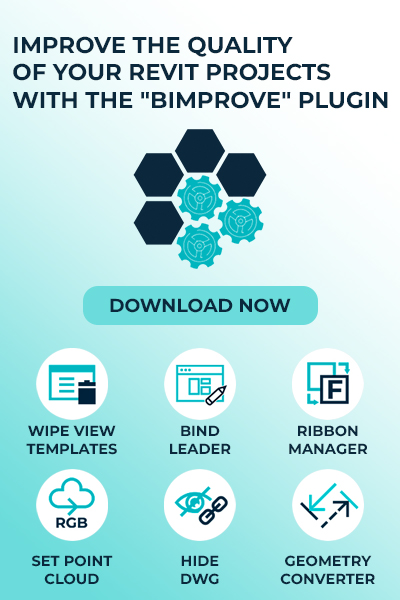
Since we work a lot with Families, we created a feature-rich plugin for Revit. And it has a very important tool - Geometry Convert. This tool allows you to convert any type of geometry, whether it's a family or a Generic (Model In Place), into a regular editable Autodesk Revit family. The plugin can be downloaded for free from the official Autodesk store.
Most elements created in projects belong to system families or loadable families. Loadable families can be combined to create nested and shared families. Custom and user-defined elements are created using in-place families.
Steps to Create Revit Families
- Understanding the Family Editor: This is the environment where you create and modify families. It involves working with different templates, setting up reference planes, and defining parameters.
- Creating Geometry: Develop both 2D and 3D geometry for your components, ensuring they meet project specifications.
- Assigning Parameters: Set up parameters that control the family’s behavior and dimensions. This can include material properties, visibility settings, and more.
- Testing and Validating: Once the family is created, it must be tested within a project to ensure it functions as intended. Adjustments are made as necessary based on this validation process.
Why Families are Vital for BIM Projects
After learning the basics of Revit Families and how to create them, let’s move on to the benefits of working with and creating families, and why they are essential for BIM projects.
- Customization and Detailing: Users can create custom families or modify existing ones to meet specific project requirements. This includes defining parameters, constraints, and behaviors of the elements to ensure they fit seamlessly into the design and perform as intended.
- Parameter Management: Parameters allow for the dynamic adjustment of family elements. For example, you can create a door family with adjustable width, height, and material properties. Proper management of these parameters is crucial for maintaining flexibility and accuracy in the design.
- Content Libraries: Many firms maintain extensive libraries of Revit families, which can be reused across multiple projects. These libraries often include standardized elements that adhere to company or industry-specific guidelines, ensuring consistency and quality in the modeling process.
- Collaboration and Sharing: Effective content creation involves collaboration among various stakeholders. Sharing custom families and models across teams helps in maintaining a unified approach to design and construction, reducing errors and improving project outcomes.
Applications of Content Creation
Revit’s content creation capabilities span various disciplines, including architecture, structural engineering, and MEP (mechanical, electrical, and plumbing). For example, MEP engineers can create custom duct systems and plumbing fixtures that seamlessly integrate into their models, enhancing design coordination and on-site installation efficiency.
Additionally, more and more large companies are creating models of their products for various uses. Household appliances, electronic devices, and furniture from different manufacturers are increasingly found in 3D and created as Revit models.
Our team of specialists is happy to help you create families of any complexity and detail level (LOD). We have an independent department and a team with over 5 years of experience. If you need 3D models with the parameters and properties you require, we are delighted to assist you. Visit our Content Creation page or submit your request directly.
Conclusion
Content creation in Revit is a fundamental aspect of BIM that enhances the accuracy, efficiency, and effectiveness of building design and construction projects. By leveraging Revit's powerful tools and creating custom parametric content, design teams can achieve better coordination, visualization, and overall project outcomes.
Share:






SOCIAL MEDIA







© Copyright BIMPROVE company LLC. All rights reserved 2026. Privacy Policy.