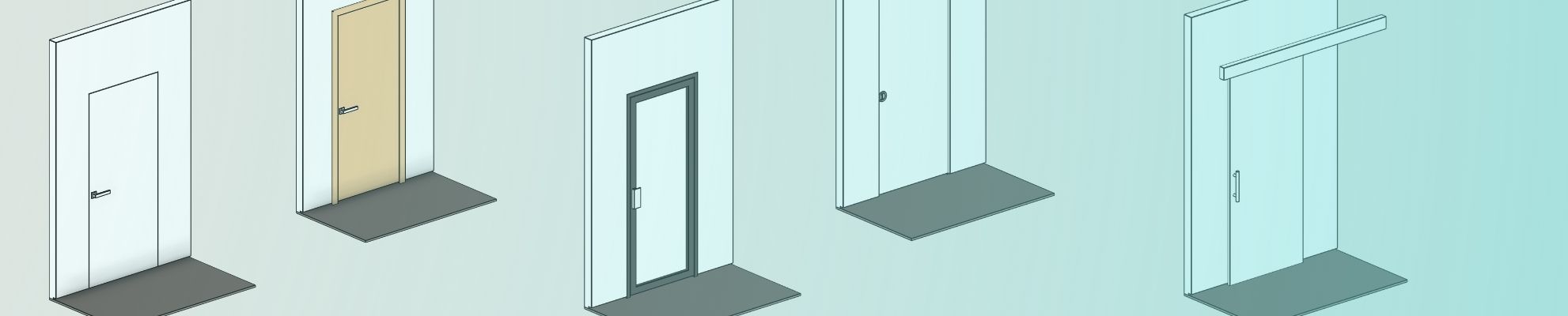
Using Revit Families for Architectural Components: Doors, Windows, Furniture

Kseniya Kutsenko
06.09.2026
Revit families have a wide application in BIM projects. Modern architecture's design is becoming increasingly reliant on BIM technologies for a comprehensive approach to creating, analysing, and managing building models.
One of the key components of Autodesk Revit is families — parametric elements that let you model building components efficiently and reuse them in other projects. Door, window, and furniture families play a special role in the creation of an architectural model, as they influence the space's functionality, ergonomics, and the building’s appearance. Revit families are a practical way to incorporate architectural elements; they speed up the process and improve accuracy.
BIMPROVE’s content creation team provides services for disciplines such as Architecture, Structure, and MEP. And for contractors, building product manufacturers, furniture designers, electrical equipment designers, etc.
What are families in Revit?
Families in Revit are digital representations of building elements and components. To provide some examples, it can be doors, windows, all kinds of furniture, boilers, etc. A family contains a set of parameters whose values can differ between types and instances.
There are many places you can download various models from, and BIMPROVE has a free library of families in Autodesk Revit.
There are three main types of families in Revit:
System families
System families contain basic elements such as:
- Walls
- Floors
- Ceilings
- Stairs
Besides that, they include viewports, levels, grids, and sheets. System families are built into Revit. However, you can edit them within the project environment by duplicating an existing type and adjusting its layer composition, thickness, and material properties.
Loadable families
Loadable families are the most flexible and widely used type in Revit workflows. This type is created externally and contains building components:
- Windows
- Doors
- Cabinets
- Appliances
- Furniture
- And landscaping elements
and system components:
- Boilers
- Water heaters
- Air handlers
- Plumbing fixtures
They are portable and highly customisable through parameters.
In-place families
In-place families are elements created specifically for the project and are rarely reused. They can take almost any shape or form, but still have some limitations. Using them requires care, as in-place families can cause file sizes to grow and Revit to run slower.
They are typically used for:
- Unique architectural details
- Complex geometry
- Custom site elements
- Non-standard building components
Benefits of using Revit families for architectural components
Workflow efficiency and saving materials
Using Families lets architects save time and effort. Revit families reduce repetitive modelling work by allowing teams to reuse standardised components. Instead of recreating elements from scratch, BIM specialists can use parameters, for example:
- size
- material
- orientation
With these parameters, modellers can quickly integrate them into the project. It allows teams to focus on more complex design decisions rather than technical repetition.
The accuracy they support can help reduce material waste and optimise resource usage. Reusable components save considerable work time, particularly for large or repeated tasks, making them very valuable in cost-effective settings.
Unique projects
In many regions, architectural diversity is a defining characteristic, with projects often requiring unique solutions tailored to specific contexts. Revit families open the doors to the flexibility needed to accommodate these diverse design requirements. This blend of customisation and standardisation provides both creative freedom and technical stability.
Adhering to regional standards
Revit families may incorporate built-in parameters covering accessibility, fire ratings, energy efficiency, and construction practices. It allows for easier compliance with regional standards.
Examples include:
- Accessibility standards
- Fire ratings
- Material specifications
- Energy efficiency requirements
- Clearance dimensions
By embedding parameters related to these standards directly into the families, architects reduce the risk of non-compliance and help ensure that design decisions align with regulatory requirements from the earliest project stages.
Accuracy
Some areas demand more attention because of the landscape specifics, complex site conditions, and structural challenges. Revit families can be a major help for architects - they reduce modelling and coordination errors in many areas, from overall geometry to architectural details. And for more complex projects, saved time and confidence let the team focus more on the details.
Benefits include:
- Standardised dimensions
- Coordinated geometry
- Reduced modelling errors
- Better documentation consistency
Best practices for managing and using Revit families
With an understanding of the Revit Families' importance, we want to share some advice and popular practices for efficient usage of Revit families.
For all types of families:
- Use parameters instead of fixed dimensions for flexibility
- Use clear names and organise your library
- Test families in multiple views
- Be upfront about your needs and think about what exactly you need to achieve before you start your work
- Start with the most important values (width, height, division distance). Then, group other kinds of dimensions together
Doors in Revit families
- Use Instance Parameters for per-door adjustments
- Use Type Parameters for standard door sizes
- Always check swing direction in floor plans
Windows in Revit families
- Use consistent sill heights across floors
- Name window types clearly (e.g., W-1200x1500)
- Check elevation views to confirm placement
Furniture families
- Lock furniture to reference planes if needed
- Use detailed furniture only for renderings
- Keep furniture low-detail for large projects (better performance)
Conclusion
Using Revit families for architectural components makes the workflow more efficient, reduces repetitive work, and saves time. It improves design accuracy and lets architects focus on details.
To further explore the opportunities of implementing Revit families for architectural purposes in your projects, contact BIMPROVE and our content creation team–we will tailor products to your needs for the markets of the UK, the USA, and Europe.
FAQ
What are Revit families?
Revit families are parametric BIM components used in Autodesk Revit to represent building elements such as doors, windows, furniture, and MEP equipment.
What are the main types of Revit families?
The three main family types are:
- System families
- Loadable families
- In-place families
What software is used to create Revit families?
Revit families are created and managed in Autodesk Revit.
Why are Revit families important in BIM projects?
Revit families improve modelling speed, project consistency, coordination accuracy, and BIM workflow efficiency.
Can Revit families be reused in different projects?
Yes. Loadable families can be reused, modified, and standardised across multiple BIM projects.
Are Revit families useful for large projects?
Yes. Revit families are widely used in residential, commercial, industrial, and institutional BIM projects across the USA, the UK, and Europe because they help manage repetitive components efficiently.
Share:










SOCIAL MEDIA







© Copyright BIMPROVE company LLC. All rights reserved 2026. Privacy Policy.